My primary video editing system is my MacBook Pro M1 Max 32GB/1TB computer with a Samsung Ultra-Wide 34 inch Display. I was planning to move to a Mac mini M4, but it seemed like it would cost at least $2000-3000, with the kind of memory and internal NVMe that would be desirable (at least 32GB/1TB NVMe).
Like many video producers on a budget, I look for affordable ways to put together a video editng system. I put together an affordable second video editing system, and I wanted to detail how to do this yourself.
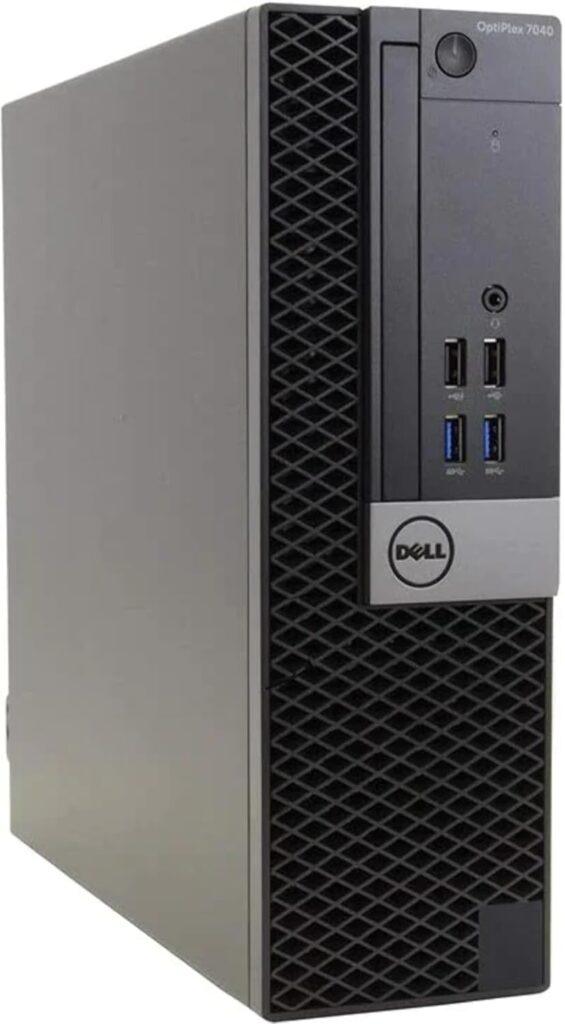
I picked up a used Dell Optiplex 7040 SFF Intel Core i5 computer with 16GB memory, 512GB NVMe, and 500GB hard disk on Facebook Marketplace. You can probably find similar used PCs for around $100-200 or so online, or in your area. I replaced the startup NVMe SSD with a 1TB NVMe (about $100-200) and re-installed Windows 11 Pro. I replaced the 500GB Toshiba SATA hard disk with a 6TB Seagate hard disk from eBay for $80.
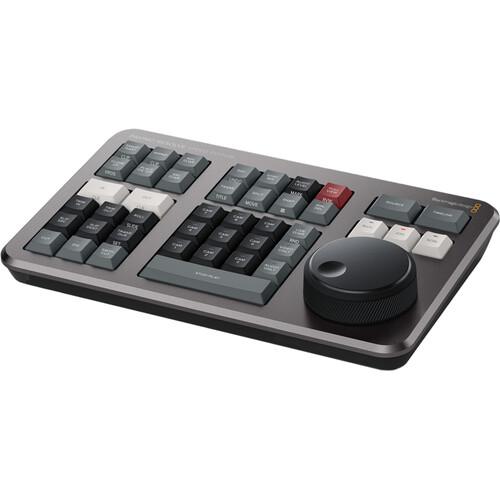
For video editing software my best choices are Adobe Premiere and DaVinci Resolve Studio. Adobe Premiere is subscription software, and I have been moving away from those kinds of apps. I found what worked for me was finding a used DaVinci Resolve Speed Editor with Studio Software license, being sold locally for $200, which included one DaVinci Resolve Studio 17 license. I was able to update the software to the current version.
Since I already had a Samsung 28 inch display, computer keyboard and mouse, that rounded out this editing workstation. My total cost for this second computer was less than $500. Davinci Resolve uses up to 16GB of memory, so I might still decide to upgrade this computer to 32GB or 64GB memory, which could be added as needed). If you wanted to save the $200-300 for the video editing software, there is a free version of DaVinci Resolve that could be used until the licensed version is needed.